Electronics
Yakola V9 Reviews and Complaints


The Yakola V9 has become a topic of growing interest among drivers looking for affordable dash cams that offer high-quality video, modern features, and good reliability. As vehicle safety awareness increases, dash cams like the Yakola V9 have gained popularity for providing crucial footage during accidents, thefts, or disputes. However, as with many low-cost electronic devices, mixed reviews and complaints exist regarding its performance, build quality, and durability.
In this article, we’ll explore the Yakola V9 reviews and complaints, its specifications, benefits, and the most common issues reported by users. The goal is to help potential buyers make an informed decision before purchasing this budget-friendly dash cam.
What Is the Yakola V9?
The Yakola V9 is a compact and budget dash camera designed to record video footage while driving. It typically features dual cameras (front and rear), wide-angle lenses, loop recording, and parking monitoring. Its price range and advertised specifications position it as a good entry-level option for those who need basic protection without spending a fortune.
Dash cameras, like the Yakola V9, are small video recording devices mounted inside vehicles to continuously record the road ahead. These devices fall under the category of automotive video recorders, which have become increasingly popular since the early 2010s due to viral videos and accident evidence shared online.
The Yakola V9 stands out because it offers WiFi connectivity, HD or 2K resolution, and a compact design — all for a relatively low cost. However, whether it truly delivers what it promises depends on real-world reviews and long-term user experience.
Technical Specifications of Yakola V9
Here are the main technical features typically found in the Yakola V9 model:
- Resolution: 1080p Full HD (some versions claim up to 2K)
- Lens Angle: Around 170° wide-angle coverage
- Screen Size: 3-inch LCD display
- Storage: Supports microSD cards up to 64 GB
- Connectivity: Built-in WiFi for smartphone pairing
- Loop Recording: Automatically overwrites old footage
- G-Sensor: Detects impact and locks video files
- Parking Mode: Motion detection when the car is parked
- Night Vision: Infrared support (varies by model)
These specifications make it attractive for new dash cam users. However, the quality of these features and how they perform in real-world conditions can differ drastically from the claims on paper.
Positive Yakola V9 Reviews
Many online reviewers and users have shared positive feedback about the Yakola V9. Some key advantages mentioned across various platforms include:
1. Affordable Price
The Yakola V9 is often praised for being budget-friendly. Compared to high-end dash cams like Garmin or Nextbase, this model provides similar core features at a fraction of the cost.
2. Good Daytime Video Quality
Users report that the Yakola V9 performs well during the day, capturing clear images and license plates in proper lighting conditions.
3. Simple Installation
The camera is lightweight and easy to mount on the windshield. Its plug-and-play design allows anyone to set it up in minutes.
4. WiFi Connectivity
The WiFi feature allows users to connect their phones and view or download recordings instantly, avoiding the hassle of removing the SD card every time.
5. Loop Recording and G-Sensor
These safety features ensure that important footage during collisions or sudden movements is locked and saved automatically.
6. Compact Design
The Yakola V9 is small and discreet, meaning it doesn’t block the driver’s view or attract too much attention.
Overall, these positive aspects make the Yakola V9 appealing to casual drivers who want essential security footage without investing in an expensive system.
Common Yakola V9 Complaints
While the Yakola V9 has some impressive advantages, a fair number of users have also raised complaints and concerns. These issues are often related to build quality, overheating, and low-light performance.
1. Poor Night Vision
One of the most frequent complaints is that the Yakola V9 performs poorly at night. Despite claims of “super night vision,” users report grainy images and glare from headlights, making it difficult to read license plates in the dark.
2. Overheating Issues
Some users have experienced overheating during long drives or when parked under sunlight. Overheating can cause the camera to freeze or shut down unexpectedly.
3. App Connectivity Problems
The WiFi function, while convenient, has been reported as unreliable. Several customers say that the companion mobile app frequently disconnects or fails to recognize the camera.
4. Low Build Quality
The materials used in the Yakola V9, such as the mount and casing, are not as durable as premium dash cams. The adhesive mount may lose grip over time, especially in hot weather.
5. Limited Firmware Support
Unlike established brands, Yakola does not frequently update firmware or provide consistent technical support. Users often find themselves troubleshooting issues on their own.
6. False Motion Alerts in Parking Mode
When parking mode is active, the Yakola V9 sometimes records continuously due to minor movements like shadows or passing cars, quickly filling the SD card.
7. Inconsistent Audio Recording
A few users have complained about low microphone sensitivity or distorted audio during playback, reducing the usefulness of in-car sound recordings.
Comparing Yakola V9 to Other Dash Cams
When comparing the Yakola V9 to competitors, it performs decently for its price range. Dash cams such as the Vantrue N2 Pro or the Garmin Dash Cam Mini 2 offer better image quality and reliability but come at significantly higher costs.
The Yakola V9’s biggest strength lies in providing essential functions at an entry-level price. However, for professional drivers, taxi operators, or users who drive at night frequently, it may not meet expectations.
Tips to Avoid Yakola V9 Problems
To get the best performance from the Yakola V9, users should follow a few simple practices:
- Use a High-Endurance microSD Card – Dash cams constantly overwrite files, so using a durable memory card designed for continuous recording prevents corruption.
- Install in a Shaded Spot – Protect the camera from direct sunlight to avoid overheating.
- Update Firmware Regularly – If the manufacturer releases firmware updates, install them to fix performance bugs.
- Adjust Settings for Night Mode – Reduce exposure levels and adjust resolution to improve clarity in low light.
- Clean the Lens Frequently – A dirty lens can reduce image sharpness, especially during nighttime recording.
- Use a Stable Mount – Replace or reinforce the adhesive mount if it becomes loose.
By following these steps, many of the common complaints about the Yakola V9 can be minimized or avoided entirely.
User Satisfaction Overview
Overall, the Yakola V9 receives mixed reviews. Many users appreciate its affordability and basic functionality, while others feel disappointed by its durability and low-light performance. On average, it performs well for casual use but struggles under demanding conditions like hot climates or continuous operation.
The satisfaction rate tends to depend on expectations — those who purchase it knowing it’s a budget dash cam are often pleased, while those expecting premium-level performance are left dissatisfied.
Should You Buy the Yakola V9?
The Yakola V9 is best suited for:
- Budget-conscious drivers
- Occasional city drivers
- Users wanting simple front and rear recording
It’s not ideal for:
- Professional drivers or rideshare operators
- Users who frequently drive at night
- Those requiring top-tier video stability and app performance
If your goal is basic road safety coverage during daytime drives, the Yakola V9 can be a solid investment. However, if you want professional-grade clarity, consistent app connectivity, and long-term reliability, you may want to consider mid-range or premium dash cams.
Final Thoughts on Yakola V9 Reviews and Complaints
The Yakola V9 offers a good mix of affordability and features but isn’t free from shortcomings. Positive reviews highlight its simplicity, good daylight video, and value for money. On the other hand, complaints revolve around low-light recording, overheating, weak mounting, and unreliable WiFi connectivity.
As with most low-cost electronics, user satisfaction depends on realistic expectations. When installed correctly and used under moderate conditions, the Yakola V9 performs reasonably well and provides reliable front-and-rear footage for everyday driving needs.
If you’re looking for an entry-level dash cam that covers the basics without costing a fortune, the Yakola V9 deserves consideration. But if you require long-term durability, high-resolution night footage, or robust app control, investing in a higher-tier dash cam might be the smarter choice.



Paymore is a well-known retail and buyback service that purchases used electronics, including laptops, from individuals and businesses. Understanding how much Paymore pays for laptops is important for anyone looking to sell their device, upgrade to a new model, or recycle old hardware responsibly. The amount a seller can expect from Paymore depends on multiple factors such as laptop brand, model, age, condition, and market demand. This article provides an in-depth look at these factors, along with insights on how to maximize the resale value of a laptop when selling to Paymore.
factors influencing the price Paymore offers for laptops
Paymore, like other buyback services, evaluates several key factors before determining how much to pay for a laptop. These factors ensure that the price reflects the device’s current market value and usability.
brand and model
The brand of a laptop plays a major role in determining resale value. Premium brands like Apple, Dell, HP, Lenovo, and Microsoft Surface tend to retain higher value than lesser-known brands. Within each brand, certain models are more desirable due to performance, durability, and popularity. High-demand models can fetch more money, while outdated or entry-level laptops may receive lower offers.
age of the laptop
The age of a laptop is critical in determining its resale value. Newer models typically have better specifications, longer battery life, and improved hardware compatibility, making them more attractive to buyers and resale services. Laptops older than five years generally have lower value unless they are collectible or high-end professional models.
condition and functionality
The physical condition of the laptop is a major factor in pricing. Laptops with minimal wear and tear, no broken screens, fully functioning keyboards, and intact ports receive higher offers. Cosmetic issues like scratches, dents, or fading can reduce the payout. Additionally, functional components such as battery life, operating system performance, and the absence of hardware failures influence Paymore’s evaluation.
specifications and features
Key specifications such as processor type, RAM size, storage capacity, and graphics capabilities directly affect the resale price. Laptops with high-end processors, more RAM, large SSD storage, and dedicated graphics cards are generally worth more. Features like touchscreens, 2-in-1 capability, and high-resolution displays may also increase the payout.
market demand and trends
Market trends and demand for specific laptop models influence how much Paymore is willing to pay. Popular models with strong resale demand can earn higher offers, while older or low-demand laptops may have lower valuations. Seasonal demand, such as back-to-school or holiday periods, can also slightly influence the buyback price.
estimated paymore payouts for laptops
While exact payouts vary by location and condition, some general estimates can help sellers understand what to expect:
- Newer high-end laptops (1–2 years old): $400–$1,200 depending on brand, specs, and condition.
- Mid-range laptops (2–4 years old): $200–$600 depending on performance and condition.
- Older laptops (5+ years): $50–$250, often lower unless the device is from a premium brand.
- Damaged or non-functional laptops: $10–$100 depending on the potential for parts resale or refurbishment.
It is important to note that Paymore may offer trade-in credits or store vouchers in addition to cash, which could affect the perceived value of the laptop.
tips to maximize payout from Paymore
Sellers can take several steps to increase the amount they receive when selling a laptop to Paymore.
clean and reset the laptop
Before selling, thoroughly clean the laptop to remove dust, smudges, and debris. A clean, well-maintained device creates a better impression and may increase the offer. Additionally, perform a factory reset to remove personal data and ensure the laptop is ready for a new user.
gather original accessories
Including original accessories such as the charger, cables, and protective cases can boost the resale value. Buyers and resale services prefer complete sets, as this reduces additional costs for the next owner.
provide accurate information
Be honest and precise about the laptop’s condition, specifications, and any issues it may have. Accurate information allows Paymore to make a fair offer and prevents delays during the evaluation process.
compare offers
Before finalizing a sale, consider getting quotes from multiple buyback services. Comparing offers from Paymore, online marketplaces, and other local electronics buyers ensures that sellers receive the best possible value.
consider refurbished or trade-in options
Some Paymore locations or associated services may offer refurbished or trade-in options that can increase the payout. Trade-ins towards new devices may provide extra incentives compared to cash payouts.
benefits of selling a laptop to Paymore
Selling a laptop to Paymore provides several advantages:
- Convenience: Quick evaluation and payment process, often completed in-store or online.
- Security: Proper data wipe ensures personal information is not compromised.
- Environmental responsibility: Laptops are refurbished or recycled properly, reducing electronic waste.
- Immediate payment: Sellers can receive cash, store credit, or other payment options promptly.
- Upgrading opportunity: Paymore often offers trade-in programs to apply the value toward new electronics.
conclusion
The amount Paymore pays for laptops depends on factors such as brand, model, age, condition, specifications, and market demand. On average, high-end and newer laptops can fetch several hundred dollars, while older or damaged laptops may only bring in minimal payouts. Sellers can maximize their return by cleaning and resetting the laptop, including original accessories, providing accurate details, and comparing multiple offers. Selling to Paymore offers convenience, security, and environmentally responsible recycling, making it a practical choice for individuals and businesses looking to sell used laptops. Understanding these factors helps sellers make informed decisions and ensures they receive fair value for their devices.

How to pair 2 JBL EON 715 speakers together is a common question among DJs, live performers, event organizers, and audio enthusiasts who want a more powerful and immersive sound setup. The JBL EON 715 is a professional powered PA speaker designed for live sound reinforcement, offering built-in amplification, Bluetooth control, and digital signal processing. Pairing two units correctly allows you to create a stereo sound field, increase coverage, and deliver a more balanced audio experience for audiences.
The JBL EON 715 is part of JBL’s EON 700 series and features integrated Bluetooth streaming and app-based control. When pairing two speakers, you can connect them either wirelessly via Bluetooth streaming or through wired XLR connections, depending on your needs. Understanding the differences between these connection methods is essential for optimal performance.
Understanding the JBL EON 715 Features
Before learning how to pair 2 JBL EON 715 speakers together, it is important to understand their core features. Each speaker is an active or powered unit, meaning it contains its own built-in amplifier. This eliminates the need for an external amplifier.
The speaker includes multiple input options such as XLR combo inputs for microphones or line-level devices, a mix output for linking speakers, and Bluetooth functionality for wireless audio streaming. It also includes onboard DSP controls accessible via an LCD display or through a mobile control app.
Because the EON 715 is self-powered, pairing two units is relatively straightforward compared to passive speaker systems.
Wired Connection Method Using XLR Cables
The most reliable way to pair two JBL EON 715 speakers together is through a wired XLR connection. This method ensures stable audio transmission with no latency issues.
Start by connecting your audio source, such as a mixer, DJ controller, or microphone, into the input of the first speaker. Use a balanced XLR cable for best sound quality.
Next, locate the mix output on the back panel of the first speaker. Connect an XLR cable from the mix output of the first speaker to one of the input channels on the second speaker.
This daisy-chain setup sends the same signal to both speakers. If you are running a stereo system, connect the left output of your mixer to one speaker and the right output to the other speaker instead of using the mix out.
Wired connections are preferred for live performances because they minimize interference and ensure consistent audio delivery.
Setting Up Stereo Sound
If you want true stereo sound when pairing two JBL EON 715 speakers together, your audio source must support stereo output. Most DJ controllers and mixers have separate left and right outputs.
Connect the left channel output to the first speaker and the right channel output to the second speaker. Position the speakers on opposite sides of the stage or event area to create a stereo sound field.
Stereo setup enhances audience experience by separating audio channels, providing spatial depth and clarity.
Ensure both speakers have matching volume levels and EQ settings for balanced output.
Wireless Pairing via Bluetooth Streaming
Another way to pair 2 JBL EON 715 speakers together is through Bluetooth audio streaming. This method is convenient for smaller events or casual setups.
Enable Bluetooth on your audio device such as a smartphone or tablet. Power on the first speaker and activate its Bluetooth pairing mode. Connect your device to the speaker.
To stream audio to both speakers wirelessly, some JBL models support Bluetooth linking or broadcast mode. Follow the speaker’s onboard menu instructions to link the second speaker.
Keep in mind that Bluetooth connections may introduce slight latency, making them less suitable for professional live performances where timing precision is critical.
Wireless pairing is ideal for background music, presentations, or small gatherings.
Using the JBL Control App
The EON 715 supports app-based control through compatible mobile applications. This allows remote adjustment of EQ, volume, and other settings.
After connecting both speakers, open the control app and ensure both units are recognized. Rename each speaker if needed to identify left and right positions.
Through the app, you can fine-tune output levels and ensure consistency between both speakers.
App control simplifies adjustments during live events without physically accessing the back panel of each speaker.
Positioning the Speakers Correctly
Proper positioning is crucial when pairing two JBL EON 715 speakers together. Place each speaker on a stable stand at ear level for optimal sound dispersion.
Keep speakers slightly angled toward the audience area. Avoid placing them directly against walls to reduce unwanted bass buildup.
For outdoor events, ensure speakers are protected from moisture and extreme weather.
Balanced positioning enhances stereo imaging and prevents uneven sound coverage.
Matching Volume and EQ Settings
Consistency between the two speakers is essential. After connecting them, adjust gain levels carefully.
Set the input gain knobs at similar positions. If using DSP presets, ensure both speakers use the same preset profile unless a specific configuration requires otherwise.
Adjust EQ settings identically for both speakers to maintain tonal balance.
Avoid excessive bass boost, which may cause distortion or feedback in certain environments.
Testing the Setup
After pairing the speakers, conduct a sound test. Play music or speak into a microphone to verify that both units produce clear and balanced sound.
Walk around the venue to check coverage consistency.
Listen for phase issues or uneven volume distribution.
Make final adjustments before the event begins.
Testing ensures professional sound quality and prevents technical issues during performance.
Power Considerations
Each JBL EON 715 speaker requires its own power source. Plug each unit into a reliable electrical outlet.
Avoid overloading circuits by connecting too many high-powered devices to a single outlet.
Use high-quality power cables and surge protection when possible.
Stable power supply ensures uninterrupted performance.
Troubleshooting Common Issues
If one speaker does not produce sound, verify cable connections and input source settings.
Check that the correct input channel is selected.
Ensure both speakers are powered on and not muted.
For Bluetooth issues, disconnect and reconnect the pairing process.
If latency occurs during wireless use, consider switching to a wired setup.
Regular firmware updates, if available, may also improve connectivity and performance.
Advantages of Pairing Two Speakers
Pairing two JBL EON 715 speakers increases overall sound pressure level and expands coverage area.
Stereo imaging improves clarity and audience engagement.
Redundancy ensures that if one speaker fails, the other can still function temporarily.
Dual speaker setups are standard for professional events, weddings, live bands, and DJ performances.
Maintenance Tips
Keep speaker grills clean and free of dust.
Inspect cables regularly for wear.
Store speakers in protective cases during transport.
Avoid exposing them to extreme temperatures.
Proper maintenance extends equipment lifespan.
Final Thoughts
Understanding how to pair 2 JBL EON 715 speakers together allows you to maximize performance potential for events and live sound applications. Whether you choose wired XLR connections for reliability or Bluetooth streaming for convenience, proper setup ensures balanced and powerful audio output.
By carefully connecting inputs, matching settings, positioning speakers correctly, and testing the system thoroughly, you can achieve professional-quality sound reinforcement. The JBL EON 715 is designed for flexibility and ease of use, making dual-speaker setups accessible even for users with moderate technical experience.
With proper preparation and attention to detail, pairing two JBL EON 715 speakers creates a dynamic and immersive sound experience suitable for a wide range of events and venues.
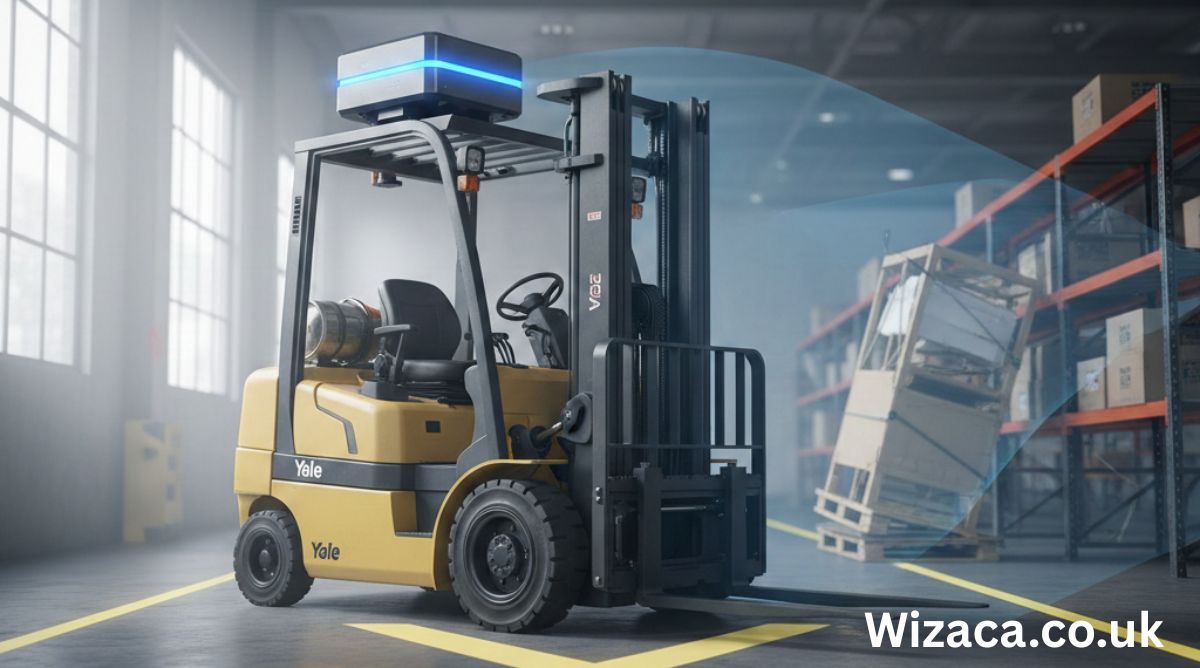
The Yale GLP050VX forklift is a well-known internal combustion counterbalance truck widely used in warehouses, manufacturing plants, logistics hubs, and outdoor material handling operations. Among its many safety and performance-related systems, the TOSS sensor plays a critical role in ensuring operational stability, load handling safety, and equipment protection. Understanding the Yale GLP050VX TOSS sensor requires examining its function, design philosophy, operational behavior, failure patterns, maintenance considerations, and long-term importance within modern forklift technology.
This article provides a comprehensive, technical, and educational explanation of the Yale GLP050VX TOSS sensor, written for operators, technicians, fleet managers, and equipment enthusiasts.
Understanding the Yale GLP050VX Forklift Platform
The Yale GLP050VX belongs to the VX series of forklifts designed to balance productivity, durability, and operator safety. This model is commonly powered by LPG and engineered to handle mid-range loads efficiently. Its design emphasizes ergonomic controls, advanced electronics, and integrated safety systems.
Modern forklifts such as the GLP050VX rely heavily on sensors to manage stability, engine performance, and operator inputs. The TOSS sensor is one of the components that supports this integrated electronic ecosystem.
What the TOSS Sensor Is
The TOSS sensor, often referred to as a stability or tilt-related sensor, is designed to monitor forklift movement, orientation, and dynamic conditions during operation. While not a single-purpose sensor, it contributes to the truck’s overall stability monitoring and safety logic.
In the Yale GLP050VX, the TOSS sensor works in coordination with the control system to detect abnormal motion patterns, load behavior, or potentially unsafe operating conditions.
Purpose of the TOSS Sensor in Forklift Operation
The primary purpose of the TOSS sensor is to reduce the risk of tipping, instability, or unsafe handling during lifting and travel. Forklifts operate in environments where uneven surfaces, sudden turns, elevated loads, and operator behavior can create dangerous situations.
The TOSS sensor supports safety by:
- Monitoring motion and orientation changes
- Feeding data to the control system
- Helping trigger protective responses
- Supporting operator alerts or system limits
This function is critical in preventing accidents that could result in injury, equipment damage, or product loss.
Design Philosophy Behind the TOSS Sensor
The design of the TOSS sensor reflects modern industrial equipment philosophy, which prioritizes prevention over reaction. Instead of relying solely on operator judgment, the system provides electronic awareness of dynamic conditions.
Key design principles include:
- Continuous monitoring rather than periodic checks
- Integration with onboard control modules
- Resistance to vibration and environmental stress
- Long-term reliability in industrial conditions
This approach ensures consistent performance throughout the forklift’s service life.
How the TOSS Sensor Functions
The TOSS sensor functions by detecting changes in motion, orientation, or stability parameters. These changes may include tilt, acceleration, deceleration, or directional shifts that exceed predefined thresholds.
When such conditions are detected, the sensor sends signals to the forklift’s electronic control system. The control system then evaluates whether corrective action is required, such as limiting certain functions or alerting the operator.
Interaction with the Forklift Control System
The Yale GLP050VX uses an integrated control architecture where sensors, controllers, and actuators work together. The TOSS sensor does not operate independently; instead, it communicates with the main control unit.
This interaction allows the forklift to:
- Adjust performance dynamically
- Enforce safety limits
- Maintain consistent handling behavior
- Support diagnostic monitoring
The sensor’s data becomes part of a broader decision-making process within the truck.
Role in Load Stability Management
Load stability is one of the most important safety factors in forklift operation. The TOSS sensor contributes by monitoring how the truck behaves under load, especially when lifting, lowering, or traveling with elevated forks.
If unstable conditions are detected, the system can respond by limiting speed, reducing hydraulic response, or signaling the operator to correct behavior.
Contribution to Tip-Over Prevention
Tip-over accidents are among the most serious forklift hazards. The TOSS sensor helps reduce this risk by identifying conditions that could lead to instability.
Factors monitored may include:
- Excessive tilt angles
- Sudden directional changes
- High-speed turns with raised loads
- Uneven ground conditions
By detecting these factors early, the forklift can take preventive measures.
Impact on Operator Safety
The presence of a TOSS sensor enhances operator safety by acting as an electronic safeguard. While operators are trained to follow best practices, human error is always a possibility.
The sensor supports safety by:
- Providing consistent monitoring
- Reducing reliance on manual judgment alone
- Encouraging smoother operating habits
- Supporting safer load handling
This contributes to a safer working environment overall.
Environmental and Operational Conditions
Forklifts operate in demanding environments that include dust, vibration, temperature variation, and moisture. The TOSS sensor is designed to function reliably under such conditions.
Its construction typically emphasizes:
- Sealed housing
- Vibration resistance
- Stable signal output
- Long operational lifespan
These characteristics are essential for industrial reliability.
Common Symptoms of TOSS Sensor Issues
When the TOSS sensor malfunctions or provides inaccurate data, the forklift may exhibit noticeable symptoms.
Common signs include:
- Unexpected performance limitations
- Warning indicators or fault codes
- Reduced travel or lift speeds
- Inconsistent handling behavior
Recognizing these symptoms early helps prevent larger issues.
Causes of TOSS Sensor Failure
Several factors can contribute to TOSS sensor failure over time.
These include:
- Physical damage from impact or vibration
- Electrical connection issues
- Sensor calibration drift
- Environmental contamination
Understanding these causes helps in preventive maintenance planning.
Diagnostic Importance of the TOSS Sensor
The TOSS sensor plays a role in forklift diagnostics by providing data used to identify abnormal conditions. When the system detects inconsistencies, it may log events or trigger alerts.
Technicians rely on this information to:
- Identify sensor-related faults
- Assess stability system performance
- Verify safe operating conditions
This diagnostic capability supports efficient maintenance.
Maintenance Considerations
Although the TOSS sensor itself typically requires minimal routine maintenance, its surrounding systems must be kept in good condition.
Best practices include:
- Regular inspection of wiring and connectors
- Ensuring secure mounting
- Protecting against contamination
- Verifying system calibration when required
Proper maintenance supports long-term reliability.
Calibration and System Accuracy
Calibration ensures that the TOSS sensor provides accurate data. Over time, mechanical wear or environmental exposure can affect sensor readings.
Calibration processes help restore accuracy by aligning sensor output with actual physical conditions. This ensures the control system responds appropriately.
Relationship with Other Safety Systems
The TOSS sensor does not work alone. It operates alongside other safety-related components, such as speed limiters, hydraulic controls, and operator presence systems.
Together, these systems create layered safety protection that reduces reliance on any single component.
Operational Benefits for Fleet Management
For fleet managers, the TOSS sensor contributes to reduced accident rates and equipment damage. This results in:
- Lower repair costs
- Reduced downtime
- Improved equipment lifespan
- Enhanced compliance with safety policies
These benefits make sensor-equipped forklifts more cost-effective over time.
Training Implications for Operators
While the TOSS sensor enhances safety, it does not replace proper training. Operators must understand how the system behaves and why certain limitations occur.
Training should emphasize:
- Smooth operation techniques
- Awareness of stability limits
- Understanding system responses
- Respecting safety warnings
This ensures cooperation between human and machine.
Comparison with Older Forklift Designs
Older forklifts often lacked advanced stability monitoring systems. Operators relied primarily on experience and caution.
Compared to these designs, the Yale GLP050VX with a TOSS sensor offers:
- Improved safety margins
- Reduced risk of sudden accidents
- More consistent performance
- Enhanced diagnostic capability
This reflects broader progress in industrial equipment technology.
Impact on Regulatory Compliance
Modern safety standards increasingly favor equipment with built-in safety systems. The TOSS sensor supports compliance with workplace safety expectations by reducing hazardous behavior.
This can be particularly important in regulated industrial environments.
Longevity and Lifecycle Role
Throughout the forklift’s lifecycle, the TOSS sensor continues to provide value by maintaining consistent safety behavior even as components age.
Its role becomes more important over time as mechanical tolerances change and operator turnover occurs.
Challenges in Sensor-Based Safety Systems
Despite their advantages, sensor-based systems introduce complexity.
Challenges include:
- Dependence on electronic components
- Need for trained technicians
- Potential for misinterpretation of warnings
However, these challenges are generally outweighed by safety benefits.
Future Evolution of Stability Sensors
The TOSS sensor represents an intermediate stage in the evolution of forklift safety technology. Future systems may include more advanced motion analysis, predictive algorithms, and adaptive controls.
These developments will further reduce accident risk and improve operational efficiency.
Best Practices for Maximizing TOSS Sensor Effectiveness
To get the most value from the TOSS sensor, organizations should:
- Maintain equipment properly
- Train operators thoroughly
- Respond promptly to warnings
- Integrate safety systems into operational policies
These practices ensure the sensor functions as intended.
Importance of System Awareness
Understanding the purpose and behavior of the TOSS sensor helps operators and technicians work with the forklift rather than against it.
System awareness reduces frustration and promotes safer habits.
Conclusion
The Yale GLP050VX TOSS sensor is a critical component that supports forklift stability, safety, and performance. By monitoring motion and orientation, it helps prevent tip-over risks, supports load stability, and enhances operator protection.
Although it operates quietly in the background, its influence is significant. The TOSS sensor reflects the shift toward smarter, safer industrial equipment that prioritizes prevention over reaction. When properly maintained and understood, it contributes to safer workplaces, longer equipment life, and more efficient material handling operations.

2566966212: Complete Guide, Identification, Uses, and Important Details

4023164651: Meaning, Details, and Complete Information Explained

Wrenwylde26: Complete Overview, Meaning and Latest Information

Does a Check Engine Light Fail Inspection?
How to Adjust U-Haul Mirrors for Safe Driving
How to Load a 10′ U-Haul Truck Efficiently
-

 Biography2 weeks ago
Who is Diven Labollita? Biography, Career, and Updates
-

 Entertainment2 weeks ago
How Much is Juan Ibarra Worth? Net Worth and Earnings (2026)
-

 General2 days ago
Dixkidzoz: Complete Guide, Features, Benefits, and Latest Information
-
 Blog2 days ago
Wrenwylde26: Complete Overview, Meaning and Latest Information
-
 General23 hours ago
2566966212: Complete Guide, Identification, Uses, and Important Details
-
 General2 days ago
4023164651: Meaning, Details, and Complete Information Explained