
Blog
How to Use KARR Security System: A Complete guide


The KARR security system is a sophisticated vehicle and property protection solution designed to provide users with advanced control, monitoring, and anti-theft features. Popular among car owners and property managers, KARR systems offer features such as remote start, immobilization, alarm notifications, and keyless entry. While the system is generally user-friendly, understanding how to operate it effectively ensures maximum protection, convenience, and longevity. This article provides a comprehensive guide on how to use the KARR security system, covering setup, key functions, troubleshooting, maintenance, and best practices.
Understanding the KARR Security System
KARR security systems are electronic devices that integrate multiple security functions into one platform. They typically include:
- Central Control Module: The brain of the system that manages sensors, alarms, and communication with remote controls.
- Remote Key Fobs: Handheld devices that allow the user to arm or disarm the system, activate alarms, and remotely start vehicles if supported.
- Sensors and Detectors: Components such as door sensors, shock sensors, motion sensors, and tilt sensors that detect unauthorized access or tampering.
- Alarms and Sirens: Audible alerts designed to deter intruders and notify owners of security breaches.
- Immobilization Features: Functions that prevent the engine from starting or disable certain electrical components in case of unauthorized access.
The KARR security system is designed to protect both vehicles and property by providing real-time alerts, active deterrence, and remote monitoring capabilities.
Advantages of Using KARR Security System
- Enhanced Security: The system combines multiple security features to protect against theft, break-ins, and unauthorized access.
- Remote Access: Users can control the system remotely through key fobs, mobile apps (if supported), or other interfaces.
- Convenience Features: Many KARR systems include remote start, keyless entry, and customizable alarm settings.
- Customizable Alerts: The system can provide notifications for tampering, unauthorized movement, or impact detection.
- Integration Capability: Some KARR models can be integrated with additional sensors, GPS modules, or home security systems for comprehensive protection.
Understanding these benefits helps users appreciate the full potential of the system and encourages proper usage.
Preparing the KARR Security System for Use
Before using a KARR security system, certain preparations are necessary to ensure proper operation.
Installation Check
Verify that the system is installed correctly, whether it is a vehicle or property setup. Proper installation ensures that all sensors, wiring, and modules are functioning correctly. Improper installation can lead to false alarms, malfunctions, or reduced effectiveness.
Power Source Verification
Ensure that the system is connected to a reliable power source. For vehicles, the KARR system is usually wired to the car battery and ignition system. For property systems, ensure that the unit is connected to a stable electrical supply and, if applicable, a backup battery.
Remote Control Preparation
Familiarize yourself with the remote key fobs or mobile interfaces. Ensure that the batteries are fully charged or replaced if necessary. Having functional remotes is critical for arming, disarming, and activating features like remote start.
Familiarize with the Manual
Reading the official user manual or documentation provided with the KARR system is essential. The manual provides detailed instructions for setup, configuration, and use, as well as troubleshooting tips. Knowing these details reduces the likelihood of errors and ensures optimal system performance.
Using the KARR Security System: Basic Functions
Once the system is prepared, understanding the basic functions is the next step.
Arming and Disarming the System
Arming the system activates all sensors and prepares the system to respond to unauthorized access. This can be done via the remote key fob or control interface. Disarming deactivates the sensors and allows normal operation of the vehicle or property.
Steps for Arming:
- Press the arm button on the remote or interface.
- Observe the indicator lights or audible confirmation that the system is armed.
Steps for Disarming:
- Press the disarm button on the remote.
- Confirm that the system has disengaged through indicator lights or audible signals.
Using Remote Start (If Available)
Many KARR systems include remote start functionality for vehicles, allowing users to start the engine without physically entering the car. This feature can be useful in extreme weather conditions or for pre-heating the engine.
Steps for Remote Start:
- Ensure the vehicle is in park with the parking brake engaged.
- Press the remote start button on the key fob.
- Wait for confirmation signals, such as blinking lights or engine sound, indicating that the engine has started.
Alarm Activation and Response
The alarm system is a key component of KARR security. When a sensor detects unauthorized access, it triggers audible alarms and may send notifications. Users should be familiar with responding to alarms:
- Identify the source of the alarm through visual or audible indicators.
- Use the remote to disarm the system if authorized access is verified.
- Check for any potential tampering or damage caused by an attempted intrusion.
Using Immobilization Features
The immobilizer prevents unauthorized engine starts or disables certain functions. Engaging this feature adds an additional layer of protection.
Steps for Using Immobilizer:
- Ensure the system is armed before activating immobilization.
- Follow the remote or control interface instructions to engage or disengage the immobilizer.
- Verify functionality by testing the engine start in a controlled environment.
Sensor Management
KARR systems often allow customization of sensor sensitivity and zones. Proper configuration reduces false alarms while maintaining security.
Steps for Sensor Management:
- Access the system settings through the remote interface or control panel.
- Adjust sensitivity levels according to environmental conditions.
- Test sensors to ensure accurate detection without frequent false triggers.
Advanced Features and Settings
KARR security systems may offer advanced settings depending on the model:
- Two-Way Communication: Some systems provide feedback to the remote, confirming the status of the vehicle or property.
- Panic Mode: Allows the user to activate the alarm manually in case of immediate danger.
- Silent Arm/Disarm: Enables silent operation without audible signals for discreet security.
- Integration with GPS Tracking: Provides location monitoring for vehicles or property if equipped with GPS modules.
Understanding and using these features maximizes the functionality of the KARR security system.
Troubleshooting Common Issues
Even with proper usage, users may encounter issues. Common problems include:
Remote Not Responding
- Check the battery in the key fob and replace if necessary.
- Ensure the remote is within the operational range.
- Re-sync the remote with the control module following manufacturer instructions.
False Alarms
- Adjust sensor sensitivity to match the environment.
- Check for loose wiring or improperly installed sensors.
- Ensure environmental factors such as vibrations or pets are accounted for in sensor placement.
System Not Arming
- Verify power supply and check for blown fuses or disconnected wires.
- Ensure the immobilizer or other features are not preventing arming.
- Consult the manual for system reset procedures if necessary.
Alarm Does Not Trigger
- Check sensor connections and test each sensor individually.
- Ensure that settings for alarm triggers are correctly configured.
- Replace faulty sensors or control modules if required.
Maintaining Your KARR Security System
Regular maintenance ensures long-term reliability and effectiveness.
- Check Battery Levels: Both in the remote and backup systems.
- Clean Sensors: Remove dust, dirt, or obstructions that may affect detection.
- Test System Regularly: Arm and disarm, test remote start, and check alarms to ensure functionality.
- Update Firmware: If supported, keep system software up to date for improved performance and security features.
Best Practices for Using KARR Security System
- Always arm the system when leaving the vehicle or property.
- Customize sensor sensitivity to reduce false alarms without compromising security.
- Replace remote batteries regularly to ensure responsiveness.
- Avoid tampering with wiring or control modules, as this may reduce effectiveness or void warranty.
- Use immobilization features in combination with alarms for maximum protection.
Conclusion
The KARR security system offers comprehensive protection for vehicles and properties, combining alarms, sensors, immobilization, and remote control features. Proper understanding of system functions, careful installation, regular maintenance, and correct use of advanced features are critical to maximizing its effectiveness. Users who follow best practices can enjoy enhanced security, convenience, and peace of mind while minimizing the risk of false alarms or malfunctions.
By familiarizing themselves with arming and disarming procedures, remote start functionality, sensor management, and troubleshooting, users can leverage the full capabilities of the KARR security system. With consistent attention to maintenance, firmware updates, and battery care, the system can provide reliable protection over the long term, ensuring safety for both vehicles and property.

Introduction to wrenwylde26
The term wrenwylde26 appears to function as a unique digital identifier that can be interpreted through the context of online identity, naming conventions, and modern digital communication systems. In today’s internet-driven environment, combinations of letters and numbers are often used to create distinct usernames, brand tags, or personal identifiers that help individuals stand out in crowded digital spaces.
Such identifiers do not always carry a fixed dictionary meaning but instead gain significance through usage, context, and association. A term like wrenwylde26 can represent a personal identity, a gaming handle, a creative alias, or even a conceptual digital signature.
Within the field of Linguistics, such constructs are analyzed for their structure, phonetic composition, and symbolic function in communication. Even without a formal definition, they still carry communicative value in digital ecosystems.
Nature of digital identifiers like wrenwylde26
Digital identifiers such as wrenwylde26 are widely used across social platforms, gaming networks, forums, and content creation spaces. These identifiers help distinguish one user from another and provide a sense of individuality in online environments.
The combination of letters and numbers often serves multiple purposes: ensuring uniqueness, enhancing memorability, and reflecting personal creativity. The presence of numbers like 26 may represent a meaningful date, favorite number, or simply a system-generated variation for uniqueness.
Within Digital Communication, identifiers are essential for user recognition and system organization.
See Also: Who is Diven Labollita? Biography, Career, and Updates
Role of usernames in digital identity
Usernames like wrenwylde26 play an important role in shaping digital identity. They are often the first point of recognition in online interactions and can influence how a person or entity is perceived.
A username may reflect personality traits, interests, fictional identity, or purely aesthetic choices. In many cases, users deliberately create unique combinations to maintain anonymity while still expressing individuality.
Within Identity Studies, digital names are considered extensions of self-representation in virtual environments.
They allow individuals to build consistent online personas across platforms.
Linguistic structure and formation
From a linguistic perspective, wrenwylde26 can be broken down into components: “wren,” “wylde,” and “26.” Each segment may contribute to the overall aesthetic and identity of the term.
“Wren” may evoke natural imagery, while “wylde” suggests a stylized spelling of “wild,” adding creative expression. The number “26” introduces uniqueness and distinction.
Within Morphology, such combinations are studied as examples of constructed lexical forms.
These structures demonstrate how language adapts to digital creativity.
Creativity in digital naming conventions
Creative naming is a core aspect of digital identity formation. Users often combine familiar words with stylized spelling and numbers to create unique usernames that are not already taken on platforms.
Names like wrenwylde26 are examples of this creative process, blending aesthetic appeal with functional uniqueness.
Within Creative Writing, invented names are used to build characters, identities, and narrative elements.
Creativity ensures individuality in digital environments.
Psychological appeal of unique identifiers
Human psychology is naturally drawn to unique and distinctive patterns. A name like wrenwylde26 stands out due to its combination of natural imagery and numerical addition.
Such uniqueness enhances memory retention and recognition, making it easier for others to recall the identity.
Within Cognitive Psychology, novelty and pattern recognition play a key role in attention and memory formation.
Distinct identifiers improve cognitive engagement.
Digital branding and online presence
Usernames and identifiers are not only personal tools but also serve as branding elements in digital ecosystems. A consistent identity like wrenwylde26 can be used across platforms to build recognition and credibility.
This is especially important for content creators, gamers, influencers, and online professionals.
Within Branding, consistent naming contributes to audience trust and recognition.
A strong digital identity improves visibility and engagement.
See Also: How Much is Juan Ibarra Worth? Net Worth and Earnings (2026)
Role of numbers in digital usernames
Numbers in usernames serve practical and symbolic functions. Practically, they help ensure uniqueness when preferred names are already taken. Symbolically, they may represent personal significance such as birth years, lucky numbers, or thematic relevance.
In wrenwylde26, the number adds individuality and structural balance to the name.
Within Information Systems, numeric identifiers are essential for classification and uniqueness.
They enhance system efficiency and identity separation.
Social media and identity expression
Social media platforms are major environments where usernames like wrenwylde26 are used for self-expression and interaction. These identifiers often become recognizable digital signatures over time.
They allow users to build communities, share content, and interact under a consistent identity.
Within Social Media Studies, usernames are key elements of online interaction and identity formation.
They shape how individuals engage in digital communities.
Evolution of digital language and naming
Digital communication has significantly influenced how language evolves. New words, usernames, and identifiers are constantly created as users explore creative expression.
Wrenwylde26 represents this evolving trend of combining language and symbolic elements for identity creation.
Within Sociolinguistics, language evolution is driven by social and technological changes.
Online platforms accelerate the creation of new linguistic forms.
Role of anonymity and personalization
Usernames provide a balance between anonymity and personalization. Individuals can express themselves creatively without revealing their real identity while still maintaining a recognizable online presence.
Wrenwylde26 may serve as both a private identity and a personalized digital signature.
Within Cyberpsychology, anonymity influences online behavior and identity expression.
Digital personas allow flexible self-representation.
Importance of uniqueness in online systems
Uniqueness is essential in digital systems to avoid duplication and ensure accurate identification. A name like wrenwylde26 is likely unique due to its specific combination of characters.
This uniqueness is important for account creation, searchability, and data organization.
Within Computer Science, unique identifiers are fundamental to system design and user management.
They ensure clarity and prevent conflicts in databases.
Aesthetic value of constructed usernames
Many users design usernames not only for function but also for aesthetic appeal. The combination of soft phonetics in “wren,” stylized spelling in “wylde,” and numeric balance creates a visually and phonetically appealing structure.
Such design choices reflect personal taste and creative expression.
Within Design Studies, aesthetic structure plays a role in perception and engagement.
Visually pleasing names enhance user identity appeal.
Contextual meaning and interpretation
The meaning of a username like wrenwylde26 is not fixed but depends on context. It may represent a personal identity in gaming, a creative alias in writing, or a brand identity in content creation.
Interpretation varies based on platform and user intent.
Within Semiotics, meaning is constructed through context and interpretation rather than inherent definition.
Context determines significance in digital communication.
Future of digital identity systems
As digital platforms evolve, usernames and identifiers will become even more important in shaping online identity. Advanced systems may integrate personalization, AI-generated names, and adaptive identity structures.
Names like wrenwylde26 represent early forms of personalized digital identity creation.
Within Artificial Intelligence, automated systems are increasingly involved in generating and managing digital identities.
Future identity systems will likely become more dynamic and personalized.
Conclusion
The term wrenwylde26 represents a modern example of digital identity construction, combining linguistic creativity, numerical uniqueness, and personal expression. Within the framework of Linguistics, such identifiers demonstrate how language continues to evolve in digital environments.
Whether used as a username, creative alias, or symbolic identity, it reflects the importance of uniqueness, personalization, and structured creativity in today’s online world.

Introduction
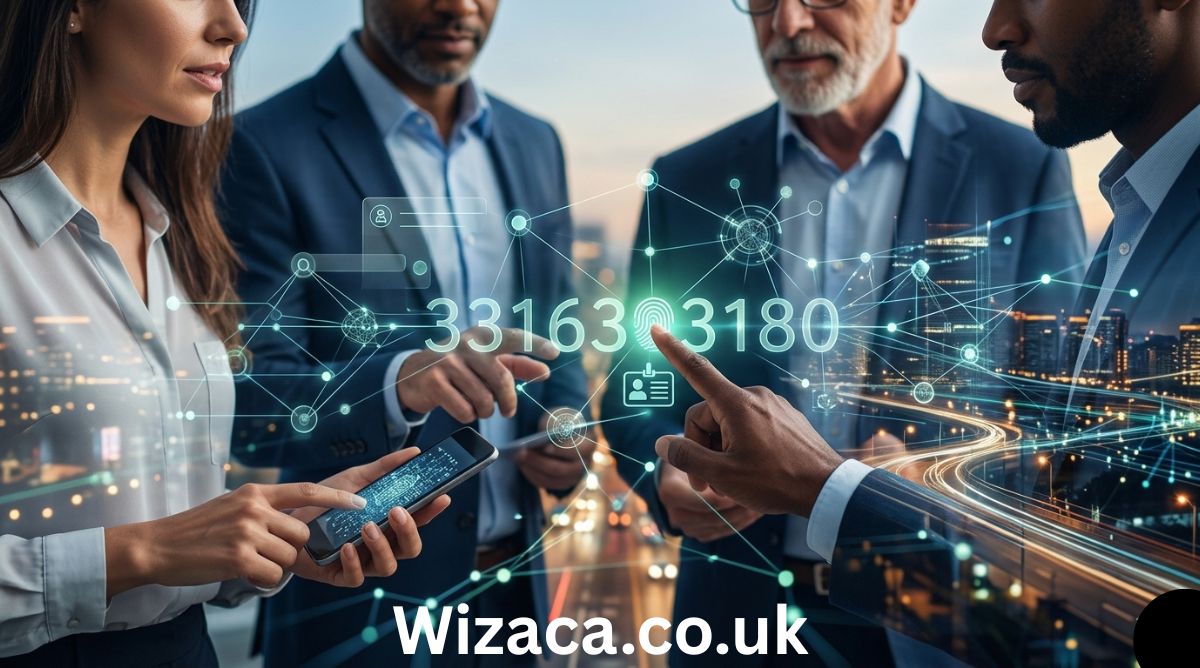
The number 3316303180 may look like a simple string of digits, but in the modern digital and interconnected world, such numbers often serve meaningful purposes. From telecommunications and finance to data systems and logistics, numeric identifiers play a critical role in organizing and managing information. A number like 3316303180 could represent anything from a phone number to a system-generated ID, depending on the context in which it is used.
Understanding the significance of such a number requires exploring the systems that rely on numeric sequences. This article provides a detailed and well-researched explanation of the possible meanings, applications, and interpretations of 3316303180 across various domains.
Understanding Numeric Sequences
Numeric sequences like 3316303180 are widely used as identifiers in both physical and digital systems. These identifiers are essential because they allow systems to uniquely distinguish one entity from another. Whether it is a user account, a transaction, or a device, assigning a unique number ensures accuracy and efficiency.
The structure of 3316303180 suggests it could be part of a standardized numbering system. With ten digits, it aligns with several global formats, including phone numbers, identification numbers, and tracking codes. However, the true meaning of the number depends entirely on the context in which it appears.
Possible Interpretation as a Phone Number
One of the most common interpretations of a 10-digit number like 3316303180 is that it represents a phone number. In many countries, including those in North America, phone numbers are structured with ten digits, typically divided into an area code and a local number.
If interpreted in this format:
- 331 could represent an area code
- 6303180 could represent the local number
Area code 331 is associated with regions in Illinois, United States, particularly in the Chicago metropolitan area. However, without confirmation, it is not possible to determine whether this specific number is active, assigned, or used for personal, business, or automated services.
Phone numbers are often recycled or reassigned, and they may also be used for marketing calls, customer service lines, or verification systems. Therefore, interpreting 3316303180 as a phone number is plausible but not definitive.
Role in Database Systems
In database management systems, numbers like 3316303180 are frequently used as unique identifiers, also known as primary keys. These identifiers are crucial for maintaining order and ensuring that each record can be accessed individually.
For example, in a database, 3316303180 could represent:
- A unique user ID
- An order number in an e-commerce platform
- A reference number for a stored record
Databases rely on such identifiers to perform operations like searching, updating, and deleting records efficiently. These numbers are often generated automatically and may follow sequential or random patterns.
Use in Financial Transactions
Another significant application of numeric sequences is in financial systems. Banks and payment processors assign unique numbers to each transaction to ensure accurate tracking and record-keeping.
In this context, 3316303180 could function as:
- A transaction ID
- A payment confirmation number
- A reference code for a financial operation
These identifiers are essential for auditing purposes and for resolving disputes. If a transaction needs to be verified, the reference number serves as a key piece of information.
Financial institutions use advanced algorithms to generate these numbers, ensuring that they are unique and secure. This helps prevent duplication and reduces the risk of errors.
Application in Logistics and Tracking
In logistics and supply chain management, numeric identifiers are used extensively to track goods and shipments. A number like 3316303180 could be a tracking number assigned to a package or shipment.
Such numbers allow customers and companies to:
- Monitor the status of deliveries
- Identify the location of goods
- Ensure accurate delivery to the intended recipient
Logistics companies often integrate these identifiers into digital systems, enabling real-time tracking and updates. This improves efficiency and customer satisfaction.
Telecommunications and Network Systems
Beyond phone numbers, telecommunications systems use numeric sequences for various purposes. These include identifying devices, routing calls, and managing network operations.
In this domain, 3316303180 could be:
- A device identifier
- A SIM card-related number
- A routing or switching code
These numbers are often part of larger systems and may include embedded information such as region codes or service types. They are designed to facilitate communication and ensure that data is transmitted accurately.
Security and Privacy Considerations
Handling numbers like 3316303180 requires careful attention to security and privacy. If such a number is linked to sensitive information, unauthorized access or sharing could lead to serious consequences.
Potential risks include:
- Identity theft
- Financial fraud
- Unauthorized system access
To mitigate these risks, organizations implement security measures such as encryption, access controls, and monitoring systems. Users are also advised to avoid sharing sensitive numeric identifiers unless necessary.
Pattern and Structure Analysis
Analyzing the structure of 3316303180 can provide additional insights. The number consists of ten digits and does not immediately reveal any obvious pattern such as repetition or symmetry.
This suggests that the number could be:
- Randomly generated for security purposes
- Sequentially assigned within a large system
- Encoded with hidden meaning specific to a particular application
In many modern systems, randomness is intentionally used to enhance security and prevent predictability. This makes it more difficult for unauthorized users to guess or manipulate identifiers.
Importance in Data Management
Efficient data management relies heavily on unique identifiers. Numbers like 3316303180 enable systems to organize and retrieve information بسرعة and accurately.
Key benefits of using numeric identifiers include:
- Improved data organization
- Faster retrieval of records
- Reduced risk of duplication
In large-scale systems, millions of identifiers may be in use simultaneously. Proper management of these numbers is essential for maintaining system performance and reliability.
Potential Use in Authentication Systems
Numeric codes are often used in authentication processes, although they are usually shorter in length. However, a number like 3316303180 could still play a role in more complex authentication systems.
Possible uses include:
- A token for secure communication
- A verification code in multi-step authentication
- A session identifier for online platforms
Such systems rely on numbers because they can be easily generated, transmitted, and validated by computers.
Challenges in Interpretation
One of the main challenges in understanding a number like 3316303180 is the absence of context. Without knowing where the number comes from or how it is used, it is difficult to assign a definitive meaning.
This highlights the importance of context in data interpretation. The same number can have entirely different meanings depending on the system in which it is used.
For example:
- In a telecom system, it could be a phone number
- In a bank, it could be a transaction ID
- In a database, it could be a unique record identifier
Understanding the surrounding environment is essential for accurate interpretation.
Broader Role of Numeric Identifiers
The use of numbers like 3316303180 reflects the broader importance of numeric identifiers in modern society. As systems become more complex and data volumes increase, the need for efficient identification methods becomes even more critical.
Numeric identifiers offer several advantages:
- Simplicity and ease of use
- Compatibility with digital systems
- Scalability for large datasets
These qualities make them indispensable in fields such as technology, finance, healthcare, and logistics.
Conclusion
The number 3316303180 serves as a powerful example of how a simple sequence of digits can have multiple potential meanings. Whether it is interpreted as a phone number, a database ID, a transaction reference, or a tracking code, its significance depends entirely on the context in which it is used.
While it is not possible to determine the exact purpose of 3316303180 without additional information, exploring its possible applications provides valuable insight into the role of numeric identifiers in modern systems. These numbers are the backbone of many processes that we rely on daily, from communication and commerce to data management and security.
By understanding how such numbers function, we gain a deeper appreciation for the systems that power our digital world and the importance of accurate and secure data handling.
Introduction
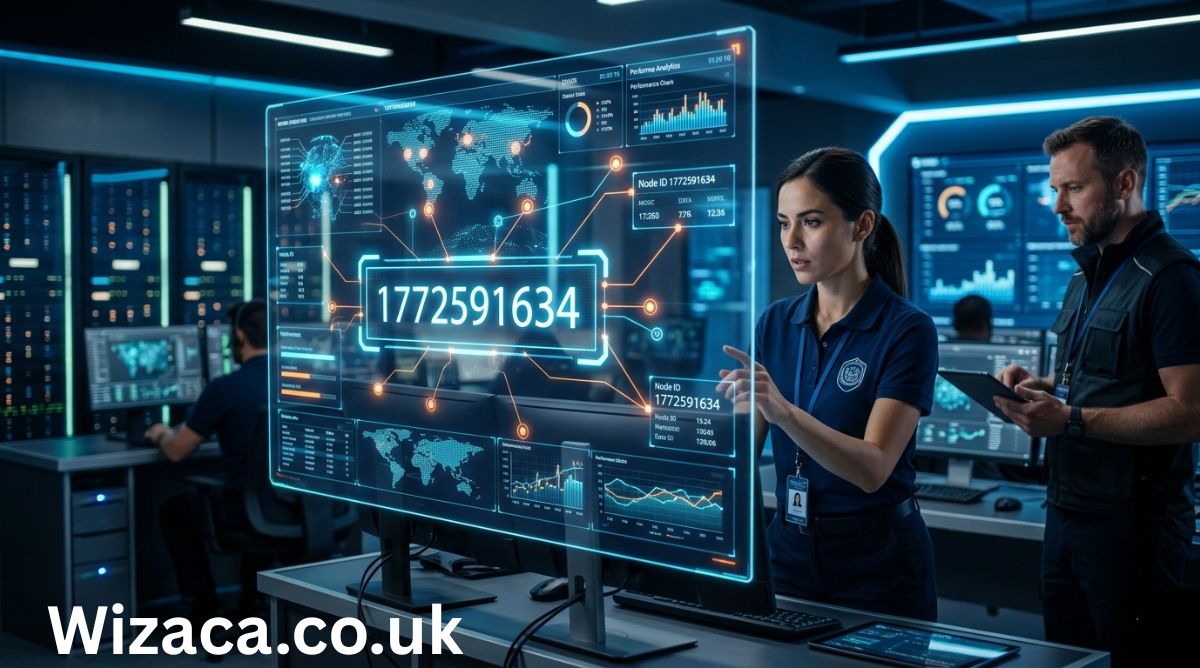
The numeric sequence 1772591634 may appear at first glance to be just a random string of digits, but in today’s data-driven world, numbers like this often carry deeper meaning. Whether it is a phone number, identification code, transaction reference, or part of a digital system, such numerical strings are essential to how modern systems organize, track, and manage information. Understanding how to interpret and contextualize a number like 1772591634 requires examining the broader systems in which such numbers are used.
The possible meanings, applications, and interpretations of 1772591634. By analyzing its structure, potential use cases, and relevance in different domains, we can better understand how such numbers function in real-world scenarios.
Understanding Numerical Identifiers
Numbers like 1772591634 are commonly used as identifiers. In computing, telecommunications, finance, and logistics, numeric identifiers serve as unique references that distinguish one entity from another. These identifiers are designed to avoid duplication and ensure accuracy in data handling.
For example, in telecommunications, a 10-digit number may represent a phone number. In banking, it could be a transaction ID. In databases, it might serve as a primary key that uniquely identifies a record. The significance of the number depends entirely on the context in which it is used.
Possible Interpretation as a Phone Number
One of the most common interpretations of a 10-digit number like 1772591634 is that it represents a phone number. Many countries, including the United States and Canada, use 10-digit phone numbers consisting of an area code and a local number.
If interpreted this way, 1772591634 could be broken down into:
- 1: Country code (commonly used for North America)
- 772: Area code
- 591634: Local subscriber number
Area code 772 is associated with parts of Florida in the United States. However, without additional context, it is not possible to confirm whether this number is actively assigned or in use. Phone numbers can be reassigned, deactivated, or used for various purposes such as business lines, personal use, or automated systems.
Use in Digital Systems and Databases
In the world of databases and software systems, numbers like 1772591634 often function as unique identifiers. These identifiers are critical for maintaining data integrity and ensuring that each record can be accessed and managed efficiently.
For instance, in a database:
- It could represent a user ID
- It might be an order number in an e-commerce system
- It could serve as a session ID in a web application
Such identifiers are typically generated automatically by systems using algorithms that ensure uniqueness. They may follow sequential patterns or be randomly generated depending on the system design.
Financial and Transactional Contexts
Another important area where numbers like 1772591634 are used is in financial systems. Banks, payment processors, and financial institutions rely heavily on numeric codes to track transactions.
In this context, 1772591634 could be:
- A transaction reference number
- A payment confirmation ID
- A tracking number for a financial operation
These numbers are crucial for auditing, dispute resolution, and record-keeping. They allow both customers and institutions to trace specific transactions quickly and accurately.
Role in Telecommunications and Networking
Beyond phone numbers, numeric sequences are also used extensively in telecommunications and networking. For example, they may appear in:
- SIM card identifiers
- Device serial numbers
- Routing codes
In such systems, numbers are often embedded within larger structures and may include checksums or validation digits to prevent errors. While 1772591634 could be part of such a system, it would typically be accompanied by additional context or formatting.
Security and Privacy Considerations
When dealing with numbers like 1772591634, especially if they are linked to personal or financial data, security and privacy become critical concerns. Numeric identifiers can sometimes be sensitive, particularly if they are associated with:
- Personal accounts
- Financial transactions
- Authentication systems
It is important to handle such numbers responsibly. Sharing or exposing them without proper authorization can lead to security risks such as identity theft or fraud. Organizations often implement encryption and access controls to protect these identifiers.
Pattern Analysis and Structure
Analyzing the structure of 1772591634 can also provide insights. The number consists of 10 digits, which is a common length for many types of identifiers. However, it does not immediately reveal any obvious pattern such as repeated sequences or simple increments.
This lack of an obvious pattern suggests that the number could be:
- Randomly generated
- Assigned sequentially within a large range
- Encoded with hidden meaning in a specific system
In some cases, numbers are deliberately designed to appear random to enhance security and prevent predictability.
Use in Logistics and Tracking Systems
In logistics and supply chain management, numeric identifiers are used to track shipments, packages, and inventory. A number like 1772591634 could potentially serve as:
- A tracking number for a package
- An inventory item code
- A shipment reference ID
These systems rely on accurate identification to ensure that goods are delivered correctly and efficiently. Customers often use such numbers to check the status of their shipments online.
Importance in Data Management
Effective data management depends heavily on unique identifiers. Numbers like 1772591634 play a vital role in organizing large volumes of data. They allow systems to:
- Retrieve specific records بسرعة
- Maintain consistency across databases
- Avoid duplication and errors
In large-scale systems, millions or even billions of such identifiers may be in use simultaneously. Proper design and management of these identifiers are essential for system performance and reliability.
Potential Use in Authentication Systems
In some cases, numeric codes are used in authentication processes. While 1772591634 is longer than typical one-time passwords (OTPs), it could still be part of a larger authentication mechanism.
For example:
- It might be a token used in secure communications
- It could be part of a verification process
- It may serve as an access code in certain systems
Authentication systems often use numbers because they are easy to generate and process programmatically.
Challenges in Interpreting Standalone Numbers
One of the main challenges with a number like 1772591634 is the lack of context. Without additional information, it is difficult to determine its exact purpose or meaning. This highlights an important principle in data interpretation: context is key.
The same number can have completely different meanings depending on where and how it is used. For example:
- In one system, it could be a user ID
- In another, it might be a transaction number
- In a different context, it could be a phone number
Understanding the surrounding system or environment is essential for accurate interpretation.
Broader Implications of Numeric Systems
The use of numbers like 1772591634 reflects a broader trend in modern technology: the reliance on numeric systems for organization and identification. From simple counting systems to complex digital infrastructures, numbers are at the core of how information is managed.
This reliance has several implications:
- Increased efficiency in data handling
- Improved accuracy in record-keeping
- Enhanced ability to scale systems
However, it also requires careful design to ensure that systems remain secure, reliable, and easy to use.
Conclusion
The number 1772591634 serves as an example of how a simple sequence of digits can have multiple potential meanings depending on its context. Whether it is a phone number, a database identifier, a transaction reference, or part of a larger system, such numbers are integral to modern life.
While it is not possible to determine the exact purpose of 1772591634 without additional information, exploring its possible interpretations provides valuable insight into how numeric identifiers function across different domains. From telecommunications to finance and data management, numbers like this are the backbone of many systems we rely on every day.
Understanding these systems and the role of numeric identifiers helps us navigate the digital world more effectively and appreciate the complexity behind seemingly simple numbers.

2566966212: Complete Guide, Identification, Uses, and Important Details

4023164651: Meaning, Details, and Complete Information Explained

Wrenwylde26: Complete Overview, Meaning and Latest Information

Does a Check Engine Light Fail Inspection?
How to Adjust U-Haul Mirrors for Safe Driving

How to Load a 10′ U-Haul Truck Efficiently
-

 Biography2 weeks ago
Who is Diven Labollita? Biography, Career, and Updates
-

 Entertainment2 weeks ago
How Much is Juan Ibarra Worth? Net Worth and Earnings (2026)
-

 General2 days ago
Dixkidzoz: Complete Guide, Features, Benefits, and Latest Information
-
 Blog2 days ago
Wrenwylde26: Complete Overview, Meaning and Latest Information
-
 General1 day ago
2566966212: Complete Guide, Identification, Uses, and Important Details
-
 General2 days ago
4023164651: Meaning, Details, and Complete Information Explained