
Technology
How to Tell a Bad Plate on Flex Printing

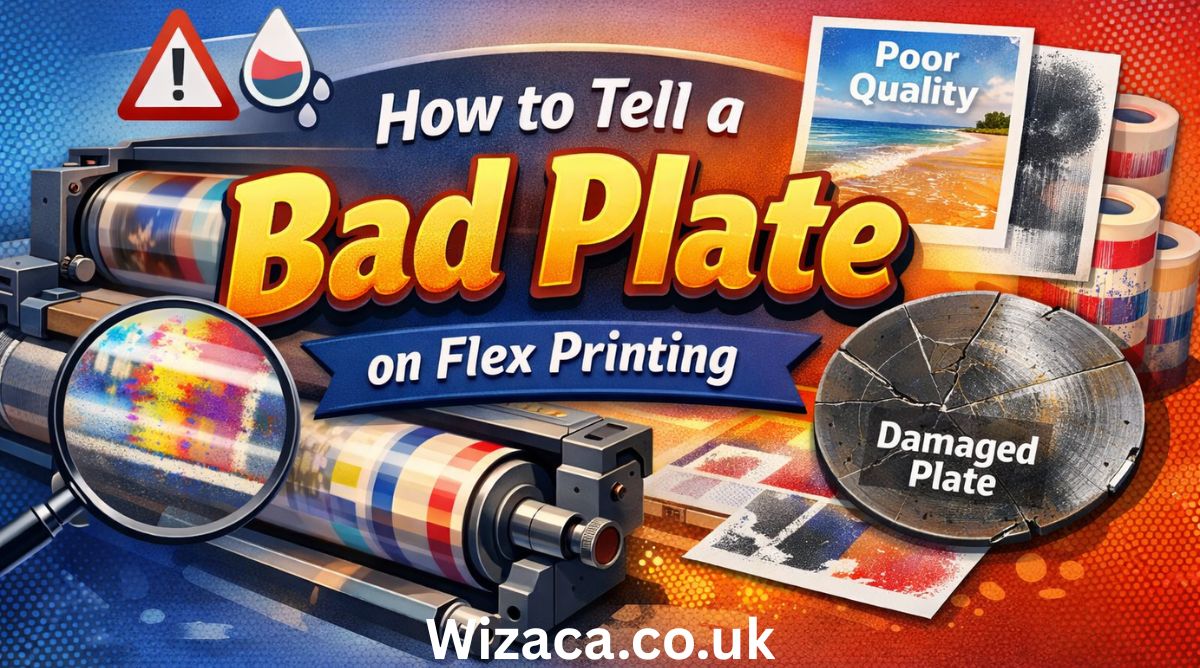
Flexographic printing, commonly known as flex printing, is a widely used method for producing high-quality images on a variety of substrates, including paper, plastic, and packaging materials. A critical component in the flex printing process is the printing plate, which directly affects the quality, sharpness, and consistency of printed images. A bad plate can lead to poor print results, increased waste, and higher production costs. Understanding how to identify a bad plate is essential for operators, prepress technicians, and quality control personnel to ensure efficient production and consistent output. This article provides a comprehensive guide on how to tell a bad plate on flex printing, covering inspection techniques, common signs of defects, troubleshooting methods, and preventive measures.
Understanding Flex Printing Plates
Flexographic plates are usually made from photopolymer or rubber materials that carry the image to be printed. The raised image areas on the plate transfer ink onto the substrate, while non-image areas remain ink-free. Plates can vary in thickness, hardness, and surface texture depending on the application, ink type, and substrate.
Flex printing plates are manufactured through a photochemical process, where the image is exposed onto the plate using ultraviolet light, and unexposed areas are washed away. The quality of the plate directly affects ink transfer, registration, and overall print quality. Therefore, identifying a bad plate early in the production process is essential to prevent defects in the final printed product.
Importance of Detecting a Bad Plate
Detecting a bad plate in flex printing has several advantages:
- Consistent Print Quality: Ensures that the printed image is sharp, uniform, and free of defects.
- Reduced Waste: Prevents the production of defective prints, minimizing material and ink waste.
- Cost Efficiency: Avoids the costs associated with reprinting or plate replacement after printing.
- Operational Efficiency: Helps maintain smooth production by avoiding machine downtime due to poor plate performance.
- Customer Satisfaction: Ensures that products meet quality standards and specifications.
Early detection of bad plates is critical because flex printing often involves high-speed production, and errors can propagate rapidly across long print runs.
Common Signs of a Bad Plate
Several visual and performance indicators can signal that a flex printing plate is defective. Operators should be familiar with these signs to quickly identify and address problems.
1. Uneven Ink Transfer
One of the most obvious signs of a bad plate is uneven ink distribution on the substrate. This can manifest as:
- Blotchy or Splotchy Prints: Inconsistent ink density across the printed area.
- Light or Faded Areas: Sections of the image may appear under-inked or faded due to insufficient plate contact.
- Excessive Ink Buildup: Over-inking in certain areas, leading to smudging or bleeding.
Uneven ink transfer can result from plate surface irregularities, improper exposure during plate making, or damage to the plate surface.
2. Image Distortion
A bad plate may produce distorted images, which can include:
- Stretched or Compressed Features: Misaligned or incorrectly proportioned design elements.
- Jagged or Blurry Edges: Loss of sharpness and clarity along lines and edges.
- Ghosting Effects: Faint duplicate images caused by plate deformation or improper mounting.
Image distortion often occurs when plates are uneven, warped, or incorrectly mounted on the printing cylinder.
3. Surface Defects on the Plate
Physical inspection of the plate can reveal defects, including:
- Scratches or Cuts: Damage during handling or storage can cause unwanted marks on the print.
- Air Bubbles or Voids: Trapped air during plate making can create missing image areas.
- Debris or Contaminants: Dust, dirt, or foreign particles embedded in the plate surface.
Surface defects reduce contact between the plate and substrate, leading to inconsistent printing results.
4. Registration Problems
Flex printing often requires precise alignment of multiple colors. A bad plate can result in registration issues such as:
- Color Misalignment: Colors do not overlap correctly, producing halos or off-register effects.
- Shifts in Image Placement: Repeated misplacement of design elements across the print run.
Registration problems may arise from plate shrinkage, warping, or mounting errors, which interfere with precise alignment.
5. Plate Hardness and Flexibility Issues
Flex plates must maintain specific hardness and flexibility to transfer ink correctly. Signs of plate material problems include:
- Excessive Softness: The plate may compress too much under pressure, causing over-inking and smudging.
- Excessive Hardness: Reduced ink transfer and poor adhesion to the substrate.
- Cracks or Brittleness: Plates that crack during mounting or printing are considered defective.
Testing the plate’s material properties can reveal potential issues before production begins.
Inspection Techniques for Bad Plates
Identifying bad plates requires careful inspection using visual, tactile, and test-print methods.
1. Visual Inspection
Examine the plate under proper lighting conditions to detect surface defects, scratches, voids, or dust. Magnification tools or loupe lenses can help identify subtle imperfections that may affect print quality.
2. Tactile Inspection
Gently run fingers over the plate surface to detect unevenness, bumps, or depressions. Tactile examination can complement visual inspection and highlight surface irregularities that are not immediately visible.
3. Test Printing
Performing a test print on a small substrate area helps evaluate plate performance under actual printing conditions. Inspect the print for ink transfer, sharpness, registration, and surface defects. Test printing provides practical confirmation of plate quality.
4. Measurement and Profiling
Advanced inspection may include measuring plate thickness, hardness, and surface profile using specialized tools. Consistency in thickness and surface texture is critical for uniform printing performance.
5. Comparison with Original Artwork
Compare the printed output or plate surface with the original design file. Discrepancies in image reproduction may indicate plate defects or inaccuracies in the plate-making process.
Causes of Bad Plates in Flex Printing
Understanding the root causes of plate defects helps prevent recurring problems.
1. Errors During Plate Making
- Improper exposure to ultraviolet light can result in undercured or overcured areas.
- Incorrect washing or development may leave residual material or erode image details.
- Air bubbles or debris trapped during production can create voids or missing image areas.
2. Handling and Storage Issues
- Rough handling or bending can cause scratches, cracks, or warping.
- Exposure to extreme temperatures or humidity may lead to plate deformation or material degradation.
- Contaminants such as dust, grease, or fingerprints can affect ink transfer.
3. Mounting Errors
- Plates that are mounted unevenly or with improper tension may cause image distortion and registration problems.
- Misalignment on cylinders can result in repeated defects across the print run.
4. Material Defects
- Substandard photopolymer or rubber compounds can produce plates with inconsistent hardness, brittleness, or shrinkage.
- Aging plates may lose flexibility, leading to cracks and poor ink transfer.
Troubleshooting and Correcting Bad Plates
Once a bad plate is identified, corrective measures can prevent defective prints and minimize waste.
Step 1: Isolate the Problem
Determine whether defects are caused by the plate, press setup, ink, or substrate. Test printing with a known good plate can help confirm the source of the issue.
Step 2: Replace or Remake the Plate
If the plate is defective, replace it with a new one or remake it following proper plate-making procedures. Ensure that exposure, washing, and development steps are correctly executed.
Step 3: Adjust Press Parameters
Sometimes minor issues can be corrected by adjusting printing pressure, doctor blade settings, or ink viscosity. These adjustments should be tested cautiously to avoid further defects.
Step 4: Clean and Maintain Equipment
Ensure that the printing cylinder, substrate, and ink system are clean and free of contaminants. Proper maintenance reduces the risk of plate damage and improves print quality.
Step 5: Implement Quality Control Checks
Regular inspection of plates before and during production can detect defects early. Establishing a quality control workflow helps maintain consistent print quality and reduces waste.
Preventive Measures for High-Quality Plates
Prevention is the most effective strategy to avoid bad plates in flex printing.
- Use High-Quality Materials: Choose reputable photopolymer or rubber plates suitable for the application.
- Control Environmental Conditions: Store plates in a controlled environment to prevent warping, moisture absorption, or heat damage.
- Proper Handling: Handle plates with care, avoiding sharp bends, scratches, or contamination.
- Standardize Plate-Making Procedures: Follow consistent exposure, washing, and curing protocols to produce reliable plates.
- Routine Inspections: Implement visual, tactile, and test-print inspections to identify issues before large-scale production.
- Training Operators: Educate operators and technicians on signs of bad plates and proper handling techniques.
Conclusion
Identifying a bad plate in flex printing is critical to maintaining print quality, reducing waste, and ensuring efficient production. Common signs of a bad plate include uneven ink transfer, image distortion, surface defects, registration problems, and material inconsistencies. Effective inspection techniques such as visual checks, tactile assessment, test printing, and measurement can detect defects early. Understanding the causes, including plate-making errors, handling issues, mounting mistakes, and material defects, allows operators to implement corrective and preventive measures.
By following best practices for plate handling, inspection, and maintenance, flex printing operations can minimize the occurrence of bad plates, achieve consistent high-quality prints, and optimize production efficiency. Regular training, quality control workflows, and attention to detail are essential to ensure that flex printing processes remain reliable and cost-effective, producing sharp, accurate, and consistent images across all print runs.

The Samsung Galaxy S8 is a flagship smartphone that was released in 2017, yet it still holds a place in discussions around mid-range and used smartphone markets in the USA. Its price varies significantly depending on factors like condition, storage capacity, carrier, and whether it is new, refurbished, or used. Understanding these aspects can help buyers make an informed decision about purchasing a Galaxy S8 in the United States.
factors affecting the price of a Samsung Galaxy S8
Several elements influence how much a Samsung Galaxy S8 costs in the USA. Buyers should consider these factors when evaluating prices.
new vs refurbished vs used
A brand-new Galaxy S8, although rare in 2026, will generally cost more than refurbished or used models. Refurbished phones are pre-owned devices that have been restored to like-new condition and may come with a warranty, often making them a popular choice for cost-conscious buyers. Used phones are sold as-is, which usually makes them cheaper but with potential wear and tear or a shorter lifespan.
storage capacity
The Samsung Galaxy S8 was available in 64GB and 128GB storage variants. Higher storage models tend to be more expensive. Users who need more space for apps, media, and files may prefer the 128GB version, though it carries a price premium compared to the standard 64GB model.
carrier and unlocked versions
Galaxy S8 phones can be carrier-specific or unlocked. Carrier-locked phones are tied to a specific network such as Verizon, AT&T, T-Mobile, or Sprint, and may have lower upfront costs due to contracts or promotions. Unlocked phones provide flexibility to switch carriers but often come at a higher price due to the freedom they offer.
condition and cosmetic appearance
The physical condition of the device plays a major role in pricing. Phones with scratches, dents, or screen cracks are typically cheaper, while those in excellent or pristine condition command higher prices. Buyers should inspect the device thoroughly, especially when purchasing used units, to ensure they are getting value for money.
inclusion of accessories
The presence of original accessories such as the charger, headphones, and original packaging can impact the price. Full accessory packages add value, while missing components may reduce the cost.
price range in the USA
As of 2026, the Samsung Galaxy S8 is no longer sold as a new device through official retail channels, so most buyers turn to online marketplaces, refurbished stores, or second-hand retailers. Approximate pricing in the United States is as follows:
- Refurbished or used models: $70 to $200 depending on storage, condition, and accessories.
- Unlocked refurbished models: $150 to $250 for higher storage and good condition.
- Rare new-in-box units: $300 to $400, which are uncommon and generally found through collectors or specialty stores.
Prices may vary by state and retailer, and seasonal sales or promotions can slightly reduce costs.
where to buy Samsung Galaxy S8 in the USA
Buyers have several options for purchasing the Samsung Galaxy S8 in the United States:
- Online marketplaces: Websites like eBay, Amazon, and Swappa offer used and refurbished models with varying prices and shipping options.
- Refurbished phone retailers: Specialized stores such as Gazelle or Back Market provide certified refurbished phones with warranties.
- Local classified ads: Platforms like Craigslist or Facebook Marketplace allow buyers to find used phones locally, often at lower prices but with higher risk.
- Carrier stores: Some carriers may still offer refurbished devices or trade-in programs that include the Galaxy S8.
Each buying method has its own advantages and risks, with warranties and return policies being crucial considerations.
tips for purchasing a Samsung Galaxy S8
To ensure a safe and satisfactory purchase, buyers should consider the following tips:
- Check the IMEI: Verify that the device is not blacklisted or reported stolen by checking the IMEI number.
- Compare prices: Review multiple sources to find the best deal for your budget and desired condition.
- Read seller reviews: When purchasing online, consider the seller’s reputation to avoid scams.
- Inspect thoroughly: If buying locally, check the phone’s screen, battery health, buttons, and camera functionality.
- Consider warranty: Refurbished phones with a warranty offer more security than used phones sold as-is.
- Evaluate the battery life: Older phones like the Galaxy S8 may have reduced battery capacity, which could necessitate replacement.
factors influencing value over time
Although the Samsung Galaxy S8 is considered a legacy device, several factors affect its value over time:
- Software updates: The availability of Android updates affects functionality and security, influencing resale value.
- Market demand: Older flagship models may retain value among collectors or those seeking budget smartphones with premium features.
- Battery health: Devices with well-maintained batteries or replacement batteries maintain higher value.
- Condition and rarity: Phones in excellent condition or limited configurations may command higher prices.
conclusion
The cost of a Samsung Galaxy S8 in the USA varies widely based on condition, storage, carrier, and purchase source. While new models are rare and expensive, refurbished and used devices offer more affordable options. Buyers should carefully evaluate factors such as warranty, condition, and seller reliability to ensure a satisfactory purchase. By understanding the price ranges, storage options, and market dynamics, consumers can make informed decisions and find a Galaxy S8 that meets both their functional needs and budget constraints.

Adding Autochartist to MetaTrader 5 (MT5) can significantly enhance your trading experience by providing automated chart pattern recognition, volatility analysis, and trading signals. Autochartist is a powerful market scanning tool that helps traders identify trading opportunities quickly and efficiently. Integrating it with MT5 allows you to leverage its features directly within your trading platform, streamlining your workflow and improving decision-making.
This guide will explain in detail how to add Autochartist to MT5, covering system requirements, installation, setup, and best practices for using the tool effectively.
understanding autochartist
Autochartist is a market analysis tool that automatically scans financial markets to detect trading opportunities. It identifies patterns, key levels, and potential price movements in real-time. The platform supports multiple asset classes, including forex, indices, commodities, and cryptocurrencies.
Some of the main features of Autochartist include pattern recognition, volatility analysis, risk assessment, and market alerts. By integrating Autochartist with MT5, traders can receive these insights directly in their trading terminal without switching between different platforms.
prerequisites for adding autochartist to mt5
Before adding Autochartist to MT5, ensure that your system and platform meet the following requirements:
- MetaTrader 5 Platform: MT5 must be installed and updated to the latest version.
- Autochartist Account: You need an active Autochartist account to access the service. Many brokers provide Autochartist access to their clients.
- Supported Broker: Ensure that your broker supports Autochartist integration with MT5. Some brokers provide custom plugins or add-ons.
- Internet Connection: A stable and reliable internet connection is required for real-time market scanning.
- System Resources: Autochartist requires moderate CPU and memory resources to process market data efficiently.
Confirming these prerequisites ensures a smooth integration process and prevents technical issues.
downloading the autochartist plugin for mt5
The Autochartist plugin is usually provided by brokers or available on the official Autochartist website. To download it:
- Visit your broker’s client portal or the Autochartist website.
- Locate the MT5 plugin or EA (Expert Advisor) specifically designed for Autochartist.
- Download the file, typically provided in
.ex5or.mq5format. - Save the file in an easily accessible folder for installation.
Ensure that the version you download is compatible with your MT5 platform and operating system.
installing autochartist on mt5
Once the plugin or EA is downloaded, follow these steps to install it on MT5:
- Open MetaTrader 5.
- Navigate to
File→Open Data Folder. - In the data folder, locate the
MQL5folder, then theExpertsorIndicatorsfolder depending on the type of plugin. - Copy the Autochartist plugin file into the appropriate folder.
- Close and restart MT5 to allow the platform to recognize the new plugin.
After restarting, the Autochartist plugin should appear in the Navigator panel under Experts or Indicators.
configuring autochartist on mt5
Proper configuration ensures that Autochartist works efficiently within MT5. To configure:
- Open the
Navigatorpanel and locate Autochartist. - Drag and drop the plugin onto a chart or double-click to activate it.
- In the settings menu, enter your Autochartist account credentials.
- Customize parameters such as pattern types, alert preferences, timeframes, and risk levels.
- Apply the settings and confirm that the plugin is actively scanning the market.
Proper configuration allows you to receive real-time notifications, pattern recognition, and trading signals tailored to your strategy.
using autochartist features in mt5
Once integrated, Autochartist provides several features to enhance trading:
- Pattern Recognition: Automatically detects chart patterns such as triangles, head and shoulders, and channels.
- Volatility Analysis: Analyzes price fluctuations and identifies potential breakout opportunities.
- Key Levels: Highlights support and resistance levels on your MT5 charts.
- Trading Alerts: Sends notifications for newly detected patterns or significant market movements.
- Market Reports: Generates daily and weekly reports summarizing trading opportunities.
Utilizing these features helps traders make informed decisions and improves efficiency in monitoring multiple markets.
troubleshooting common issues
Sometimes, integration may not work smoothly. Common issues include:
- Plugin Not Showing: Ensure that the plugin is placed in the correct folder and MT5 is restarted.
- Login Errors: Verify that your Autochartist account credentials are correct and active.
- Slow Performance: Reduce the number of simultaneous charts or patterns scanned to improve performance.
- Outdated Version: Check for the latest plugin version compatible with your MT5 platform.
Following these troubleshooting tips can resolve most technical problems and ensure smooth operation.
best practices for using autochartist on mt5
To maximize the benefits of Autochartist:
- Regularly update the plugin to the latest version.
- Monitor multiple timeframes for more comprehensive analysis.
- Combine Autochartist insights with your own technical analysis.
- Set alerts for patterns that align with your trading strategy.
- Periodically review scanned patterns and filter for high-probability setups.
These practices help traders make the most of Autochartist’s capabilities while maintaining an effective trading strategy.
conclusion
Adding Autochartist to MT5 provides traders with a powerful tool for automated market analysis and trading insights. By understanding the installation process, proper configuration, and efficient use of features, traders can enhance their trading efficiency and accuracy. Whether you are identifying chart patterns, monitoring volatility, or receiving trading alerts, integrating Autochartist with MT5 streamlines market analysis and supports informed decision-making. Following best practices and troubleshooting tips ensures that the plugin operates smoothly, providing valuable assistance for traders at all experience levels.

Upgrading or changing the operating system on a device that uses eMMC storage, such as a Cardpop I 82v8 eMMC/b system, can be a challenging yet rewarding process. These devices are often compact, budget-friendly, and designed for lightweight usage, which means they come with certain hardware limitations. However, with proper preparation and the right approach, it is possible to install Windows 11 and improve the overall experience.
This process involves understanding the hardware, checking compatibility, preparing installation media, and carefully performing the installation. Because eMMC-based devices differ from traditional systems with SSDs or HDDs, extra attention must be given to storage management and system requirements.
This guide provides a detailed explanation of how to change a Cardpop I 82v8 eMMC/b device to Windows 11, covering each step in a structured and practical manner.
understanding emmc storage and device limitations
eMMC storage is commonly used in lightweight laptops and compact devices. Unlike traditional storage drives, eMMC is soldered directly onto the motherboard, which means it cannot be easily replaced or upgraded.
Devices with eMMC storage typically have limited capacity, often ranging from 32GB to 128GB. This limited space can create challenges when installing a modern operating system like Windows 11, which requires a significant amount of storage.
In addition to storage limitations, such devices may also have lower RAM and less powerful processors. These factors can affect performance after installation, so it is important to manage expectations and optimize settings accordingly.
Understanding these limitations helps in planning the installation process effectively.
checking windows 11 compatibility
Before attempting to install Windows 11, it is essential to check whether the device meets the system requirements. Windows 11 has stricter requirements compared to previous versions, including support for TPM, secure boot, and a compatible processor.
Use system information tools to check the device specifications, including processor type, RAM, and storage capacity. If the device does not meet all requirements, installation may still be possible using alternative methods, but performance and stability should be considered.
Ensuring compatibility reduces the risk of installation errors and ensures a smoother experience after upgrading.
backing up important data
Before making any changes to the operating system, backing up data is a critical step. Installing Windows 11 typically involves formatting the existing storage, which means all data on the device will be erased.
Copy important files, documents, and media to an external storage device or cloud storage. Double-check that all essential data has been saved before proceeding.
Taking this precaution prevents data loss and ensures that important information can be restored after installation.
creating windows 11 installation media
To install Windows 11, you will need a bootable USB drive containing the installation files. This can be created using a separate computer.
Download the official Windows 11 installation tool and use it to create a bootable USB drive. Ensure that the USB drive has sufficient storage capacity and is properly formatted.
Once the installation media is ready, safely eject the USB drive and prepare to use it on the target device.
This step is essential for initiating the installation process.
accessing bios or boot menu
To begin the installation, you need to access the device’s BIOS or boot menu. This is typically done by pressing a specific key during startup, such as F2, F12, or Delete.
Insert the bootable USB drive into the device and restart it. Enter the boot menu and select the USB drive as the primary boot option.
Ensure that secure boot and other settings are configured correctly if required. Some devices may need adjustments to allow booting from external media.
Accessing the correct boot settings is necessary to start the installation process.
preparing storage for installation
Because eMMC storage is limited, preparing the storage properly is crucial. During the installation process, you will be given the option to manage partitions.
Delete existing partitions if you are performing a clean installation. This will free up space and allow Windows 11 to create the necessary partitions automatically.
Ensure that there is enough free space for the operating system. If storage is very limited, consider removing unnecessary files beforehand or using lightweight configurations.
Proper storage preparation ensures a successful installation.
installing windows 11
Once the installation process begins, follow the on-screen instructions carefully. Select your language, region, and preferences as prompted.
Choose the option for a custom installation if you want to perform a clean install. Select the prepared storage space and proceed with the installation.
The system will copy files, install features, and restart multiple times during the process. Avoid interrupting the installation to prevent errors.
After completion, you will be guided through the initial setup, including creating a user account and configuring system settings.
This step completes the transition to Windows 11.
optimizing windows 11 for emmc devices
After installation, optimizing the system is important to ensure smooth performance. Disable unnecessary startup programs to reduce load times and improve responsiveness.
Adjust visual effects and system settings to prioritize performance over appearance. This can be done through system settings.
Keeping the system lightweight helps compensate for the limited hardware capabilities of eMMC devices.
Regular maintenance and updates also contribute to better performance.
managing storage space effectively
Storage management is critical on eMMC-based devices. Remove unnecessary files, uninstall unused applications, and use storage cleanup tools to free up space.
Consider using external storage for large files such as videos or backups. Cloud storage can also help reduce the load on the internal storage.
Keeping sufficient free space ensures that the system runs efficiently and reduces the risk of performance issues.
installing essential drivers
After installing Windows 11, it is important to ensure that all drivers are properly installed. Drivers enable hardware components such as graphics, audio, and networking to function correctly.
Check the device manager for any missing or outdated drivers. Install the necessary drivers from reliable sources to ensure compatibility.
Proper driver installation improves system stability and performance.
troubleshooting common issues
During or after installation, you may encounter issues such as slow performance, missing drivers, or compatibility problems.
Restarting the system and checking settings can resolve minor issues. Updating Windows can also fix bugs and improve functionality.
If storage becomes a problem, removing temporary files and unnecessary applications can help free up space.
Understanding common troubleshooting steps ensures that problems can be resolved effectively.
maintaining system performance
Maintaining performance on an eMMC device requires regular care. Keep the system updated to ensure security and stability.
Avoid installing heavy applications that may strain the hardware. Use lightweight alternatives whenever possible.
Regularly clean up storage and monitor system performance to ensure smooth operation.
Consistent maintenance helps extend the usability of the device.
conclusion
Changing a Cardpop I 82v8 eMMC/b device to Windows 11 involves careful planning, preparation, and execution. By understanding the limitations of eMMC storage, checking compatibility, and following proper installation steps, it is possible to successfully upgrade the system.
From creating installation media to optimizing performance after installation, each step plays a crucial role in achieving a smooth and efficient setup. Managing storage, installing drivers, and maintaining the system ensures long-term usability.
With the right approach and attention to detail, even limited hardware devices can run Windows 11 effectively and provide a functional and reliable computing experience.

2568646461: Meaning, Details and Complete Information Explained

6019888888: Complete Information and Details About This Number

how much is samsung galaxy a03s in usa

Does a Check Engine Light Fail Inspection?

How to Adjust U-Haul Mirrors for Safe Driving

How to Load a 10′ U-Haul Truck Efficiently
-

 General2 weeks ago
What Is 4842570165? Complete Guide
-

 Blog7 days ago
3053634432: Complete Information, Details & Insights
-

 Blog1 week ago
Contact Number 4145161210: Information & Details
-

 Technology1 week ago
how to change cardpop I 82v8 emmc/b to windows 11
-

 Blog7 days ago
18009132411 Helpline Number: Customer Support & Contact Info
-

 Blog1 week ago
Contact or Lookup for 18883831057
-

 Business1 week ago
how to capture printing costs on zeno copiers
-

 Home Improvement1 week ago
how to call a plumber and ask for help